
Case Study
The
Photographer
How I designed a portfolio site for a photographer that disappears behind the work and why the best creative websites are the ones you don't notice.
Catagory - Photography Portfolio
Direction - Cinematic · Personal · Immersive
Live Site - The Photographer
The Brief -
Get out of
the way.
A photographer's website has one job: show the photographs. Everything else ,the navigation, the copy, the layout, the contact form is infrastructure. It exists to serve the images, not compete with them. The moment a visitor notices your grid system instead of the picture inside it, you've already lost.
That was the brief I set for myself on this project. Build a website that disappears. A site so well-structured that the photographer's work takes up all the available attention, and the design becomes invisible. Not boring, invisible. There's a difference.
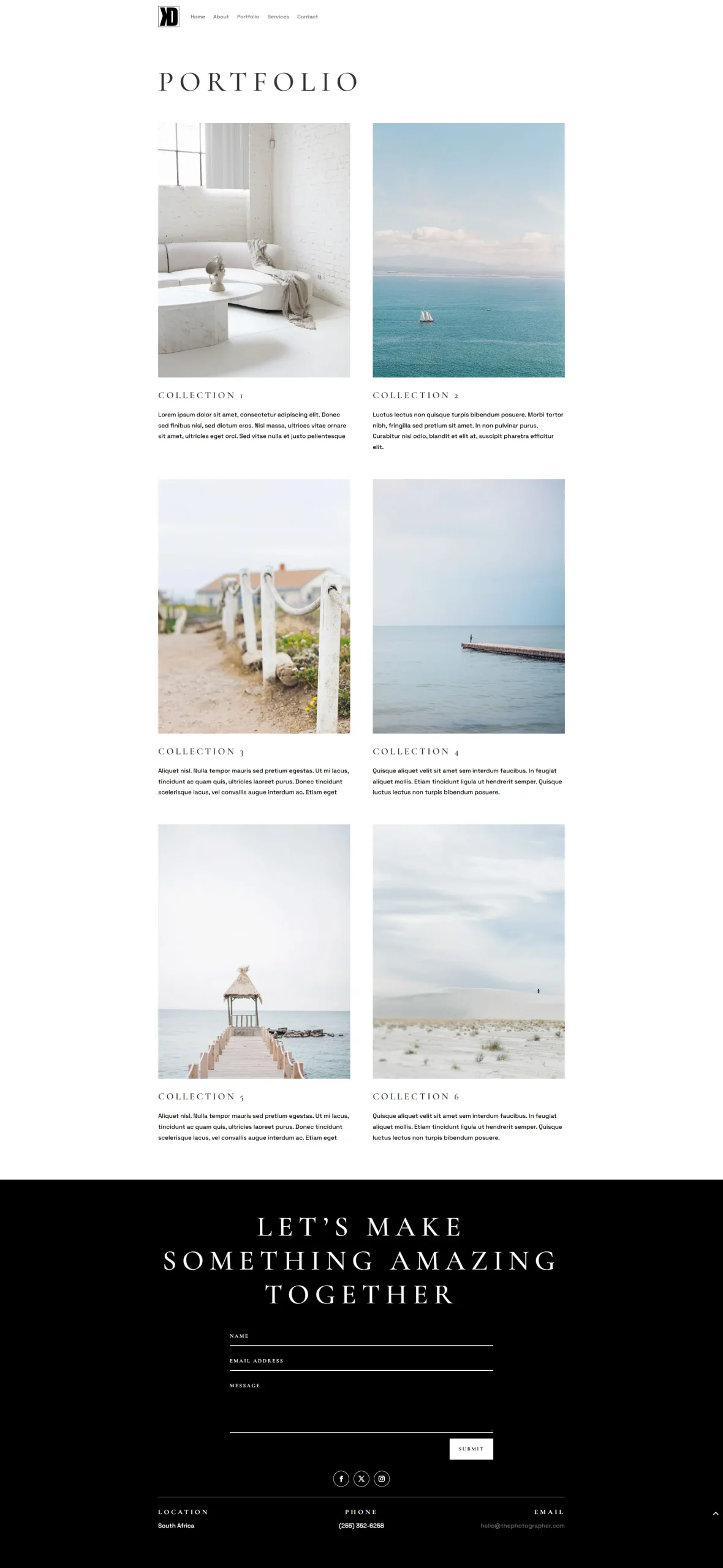
The photographer shoots portraits, landscapes, weddings, and drone work. Six disciplines. A broad creative range. The site needed to give each one room to breathe while still reading as a single, coherent practice.
Design Decisions
Four things I got right
Photography sites are deceptively hard to design. The images are the product and the decoration simultaneously. Here's how I handled it.
01
The hero goes wide — on purpose
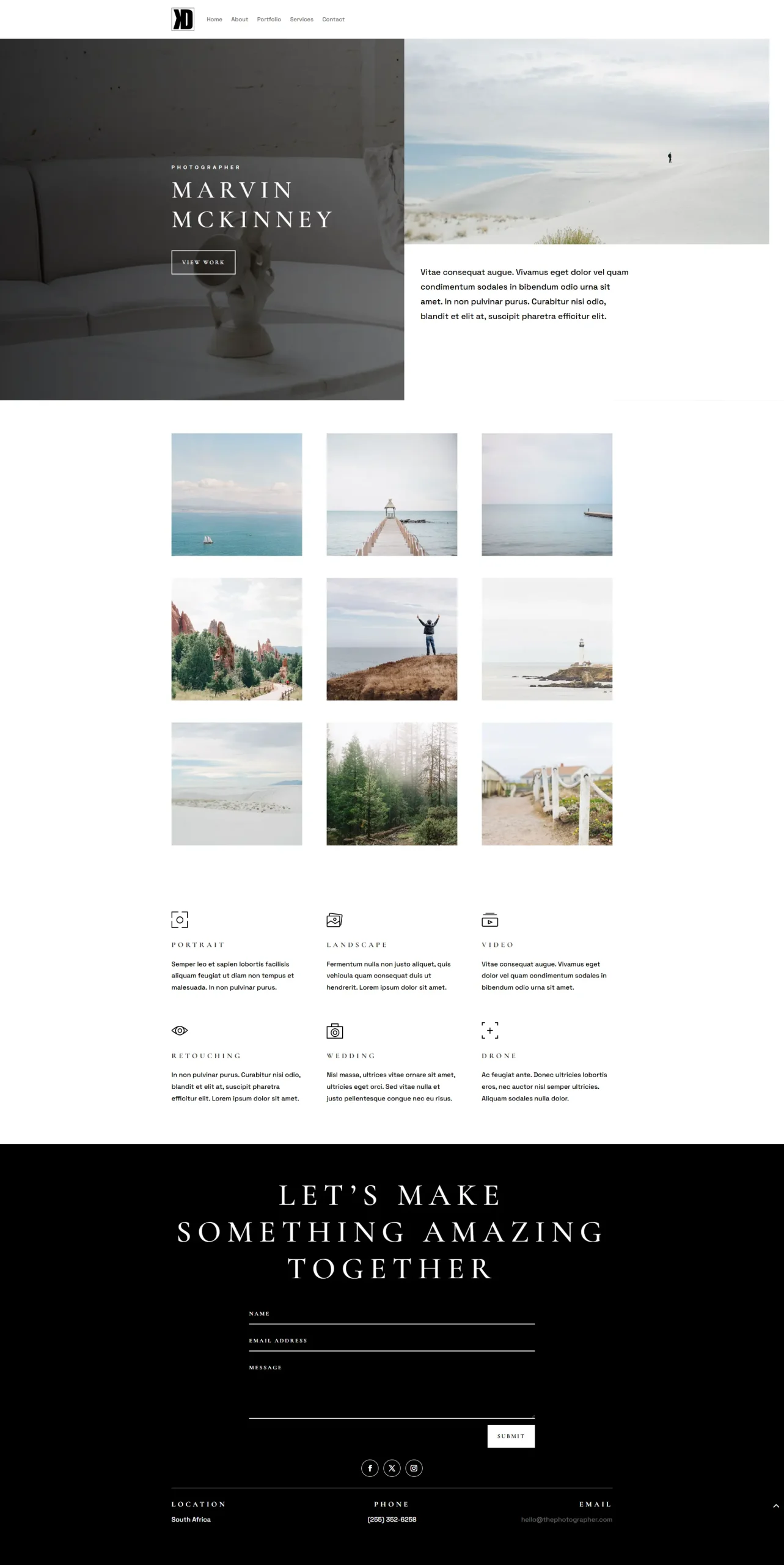
With Inside Interior I made a point of using portrait-format images throughout. Here I went the opposite direction entirely. The hero image is 1600×900 full-width, cinematic, landscape format. That wasn't a default choice, it was a deliberate one.
Photography is a widescreen medium. The human eye sees in panorama. Cameras are held horizontally. Screens are horizontal. A full-width landscape hero doesn't just fill the viewport, it says something about how this photographer sees the world. It signals: I think in frames, and the first frame you get is a big one. The site opens like a shutter.
02
A consistent grid ratio that creates rhythm, not noise
The portfolio gallery uses ten images, all at 800×750 a near-square aspect ratio held consistently across every single shot. This might sound like a small detail. It's not.
When a gallery mixes portrait and landscape images at different sizes, the eye has nowhere to rest. It bounces around looking for a pattern and never finds one. Enforcing a single aspect ratio across the grid gives the gallery a pulse. The visitor's attention moves smoothly from image to image rather than lurching between different shapes. The constraint becomes the composition.
03
Icon + title services, the right call for a creative
ITD needed a product grid with twelve categories and clinical clarity. This site needed something that felt human and approachable. The six services, Portrait, Landscape, Video, Retouching, Wedding, Drone are presented with a small icon and a single-word title each. No pricing, no lengthy descriptions, no feature lists.
That's intentional. Creative services aren't bought like equipment. A client booking a wedding photographer isn't comparing spec sheets they're deciding if they trust someone with one of the most important days of their life. The icon-plus-title format says: here's what I do, simply stated. The trust comes from the work above it, not from the words below.
04
"Let's make something amazing together" the CTA that earns it
Most contact sections say something like "Get in touch" or "Book a session." Functional. Forgettable. This one says: Let's make something amazing together.
I kept that line because it reframes the transaction. It's not a booking — it's a collaboration. It positions the photographer as a creative partner rather than a service vendor, which is exactly how the best photographers work and how they want to be hired. By the time someone reaches that CTA, they've scrolled through a full-width hero, a ten-image gallery, and six clearly stated disciplines. The emotional groundwork is already laid. That line just names the feeling.
The best photography website is the one where you finish scrolling and remember the photographs — not the design.
— Design Philosophy, The Photographer
Page Architecture
How I built the flow
Step 01
Hero. Open like a shutter
Full-width cinematic image. Name above the fold. One CTA: View Work. No friction, no preamble. The visitor knows immediately what kind of photographer this is just from the first frame.
Step 02
Intro copy. Give context, briefly
A short paragraph underneath the hero image. Enough to set tone and personality without pulling the spotlight away from the visuals. Four sentences maximum.
Step 03
Gallery. Let the work speak
Ten images in a consistent 800×750 grid. No captions cluttering the shots. No hover overlays breaking the mood. Just photographs, given space to be photographs.
Step 04
Services. Six disciplines, simply named
Portrait. Landscape. Video. Retouching. Wedding. Drone. Icon plus title for each. No pricing, no hard sell. The work above does the persuading; this section just clarifies the scope.
Step 05
Contact. Collaborative, not transactional
"Let's make something amazing together." A contact form, a location, a phone, an email. The tone is warm and open — matching how a photographer-client relationship actually starts.
Step 06
Nav. Five items, no clutter
Home, About, Portfolio, Services, Contact. That's the full navigation. Clean enough to be invisible. A photographer's site doesn't need complexity — it needs clarity.
What I
Made
This project sits in an interesting spot in my portfolio. This was about something more delicate: designing for someone whose entire product is visual.
When a photographer looks at their own website, they're not evaluating the layout, they're evaluating whether the layout is killing their images. Every grid line, every background colour, every font choice is being judged against one question: does this make my work look better or worse?
The answer I landed on was to keep the site as dark and neutral as a gallery wall. White walls don't compete with paintings. Dark backgrounds don't compete with photographs. The near-square gallery grid enforces consistency without flattening the work. The wide hero gives the lead image the scale it deserves. And the copy stays short so the eye always wants to move back up to the images, not forward through the words.
The site works because it knows its place. That's harder to build than it looks.
Want something
built like this?
Let's talk about your project.

Enthusiastic and creative freelance web developer and SEO with a passion for translating ideas into visually compelling designs.
Contact Us
South Africa
0645121992
kyle@kyledesigns.co.za